
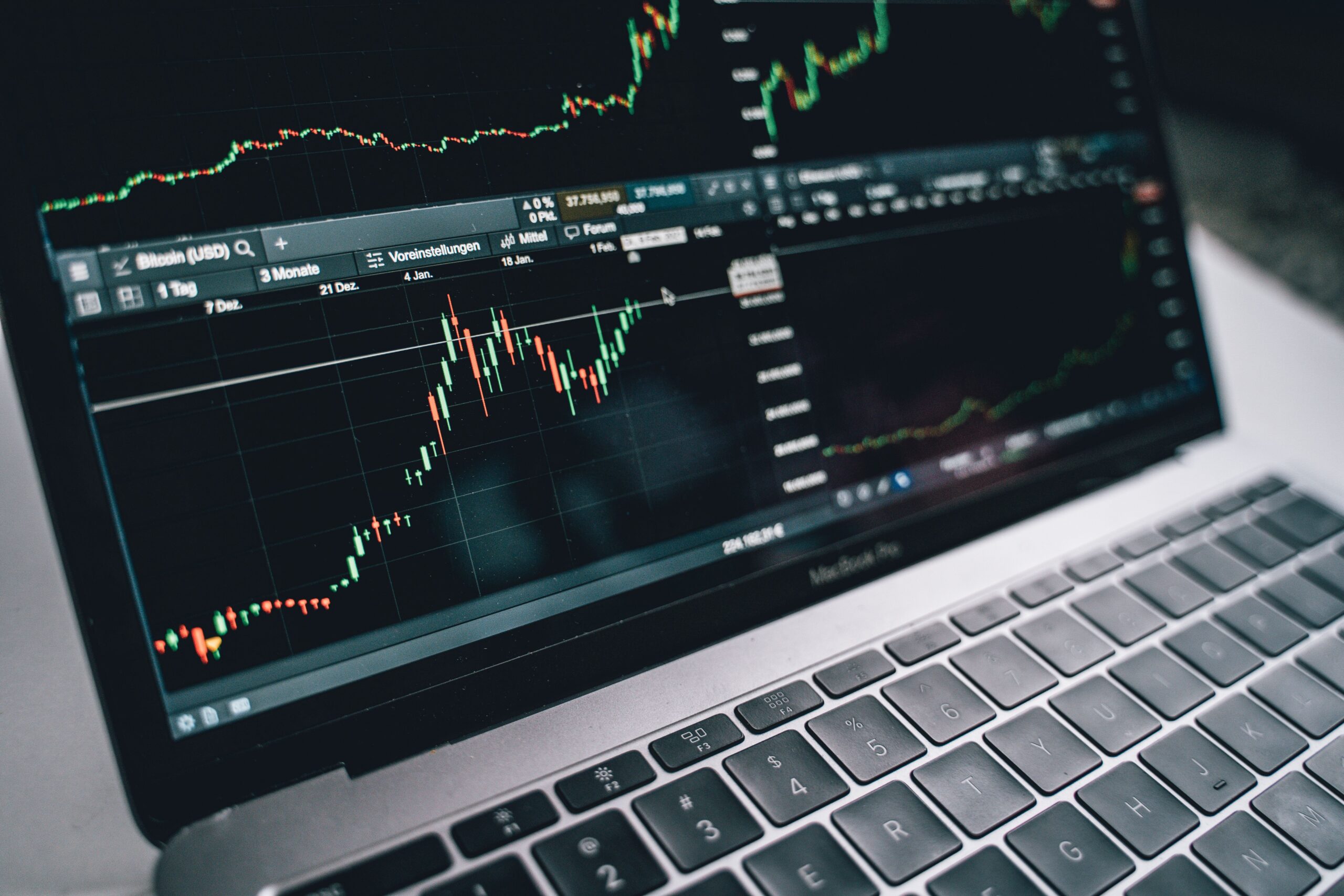
Choosing the best trading software in 2026 can help you analyze financial markets, manage orders, track investments, and make more informed trading decisions. However, the right platform depends on your experience, preferred assets, trading strategy, and budget. Some tools focus on advanced charting. Others offer automated trading, market research, or direct access to global exchanges.
With so many options available, comparing trading software features, pricing, and platform capabilities is essential. A free platform may provide everything a beginner needs. An experienced trader may benefit from advanced indicators, real-time market data, and customizable order management.
This guide compares leading trading platforms, explains common costs, and highlights the features worth considering before you subscribe. Whether you trade stocks, forex, options, futures, or cryptocurrencies, you can use these insights to find software that matches your needs.
What Is Trading Software?
Trading software is a digital platform that helps users research markets, analyze price movements, monitor portfolios, and place trades. Depending on the provider, it may also include automated strategies, technical indicators, economic calendars, and risk management tools.
Most platforms fall into three categories:
- Charting and analysis software: Helps identify trends, support and resistance levels, and potential trading setups.
- Brokerage trading platforms: Connect users to financial markets and allow them to submit orders through a broker.
- Automated trading software: Executes predefined rules or algorithmic strategies when specified conditions occur.
Some products combine all three categories. Before choosing one, confirm that it supports your preferred market and connects to a broker that accepts customers in your country.
Best Trading Software in 2026: Top Platforms Compared
The following platforms serve different trading needs. They are not interchangeable, so compare their strengths before deciding which one fits your strategy.
1. TradingView: Best for Charting and Technical Analysis
TradingView is a popular option for traders who prioritize interactive charts, technical indicators, watchlists, and market screening. Its web, desktop, and mobile applications make it convenient to review markets from different devices.
The platform supports customizable charts, community-created indicators, alerts, and Pine Script for developing custom indicators and strategies. Selected brokers also support trading through its interface.
Key features:
- Interactive charts and technical indicators.
- Custom alerts and watchlists.
- Stock, ETF, forex, and cryptocurrency market analysis.
- Community scripts and strategy development.
- Browser, desktop, and mobile access.
Pricing: A free Basic plan is available. Paid plans add capabilities such as additional charts, indicators, and alerts. The official pricing page lists annual-billing equivalents starting at $12.95 per month for Essential, $29.95 for Plus, and $59.95 for Premium. Check the current offer and billing terms before purchasing.
Best for: Beginners, technical analysts, and experienced traders who want flexible charting tools.
Visit the official TradingView pricing page for current plan details.
2. MetaTrader 5: Best for Forex and Algorithmic Trading
MetaTrader 5 (MT5) is a multi-asset trading platform widely used by forex and CFD brokers. Its capabilities depend partly on the broker and the financial instruments available through that broker.
MT5 includes technical indicators, multiple chart timeframes, market depth where supported, economic news, and automated trading through Expert Advisors. Developers can use MQL5 to build trading robots and custom analytical tools.
Key features:
- Technical analysis and customizable charts.
- Automated strategies through Expert Advisors.
- Backtesting tools for supported strategies.
- Custom indicators and trading scripts.
- Desktop and mobile applications.
Pricing: The software is generally available to users without a separate platform purchase fee. However, broker commissions, spreads, financing charges, and market-data conditions can affect total trading costs.
Best for: Forex traders, CFD traders, and users who want to develop or test automated strategies.
Learn more on the official MetaTrader 5 website.
3. Interactive Brokers Trader Workstation: Best for Multi-Asset Trading
Interactive Brokers Trader Workstation (TWS) is designed for active traders and investors who need access to multiple asset classes. Depending on account eligibility and market access, users can trade stocks, options, futures, currencies, bonds, and other instruments.
The platform provides advanced order types, portfolio monitoring, research tools, and customizable trading layouts. Its broad market access can be useful for investors who manage positions across several countries.
Key features:
- Access to multiple asset classes and international markets.
- Advanced order management tools.
- Portfolio analysis and reporting.
- Research and market data integrations.
- APIs for supported automated workflows.
Pricing: The platform itself is available without a separate platform fee. Brokerage commissions, market-data subscriptions, exchange charges, and other account-related costs may still apply.
Best for: Experienced traders, international investors, and multi-asset portfolio managers.
Explore the official Interactive Brokers platform guide.
4. thinkorswim by Charles Schwab: Best for Active US Market Traders
thinkorswim provides advanced charting, technical studies, options analysis, and paper trading. It is particularly useful for traders who want to examine potential trades before committing real money.
The platform offers detailed chart customization and tools for evaluating different market scenarios. Its paperMoney feature allows eligible users to practice trading with simulated funds.
Key features:
- Advanced technical charting.
- Options analysis and strategy tools.
- Paper trading for practice.
- Market monitoring and customizable watchlists.
- Desktop and mobile trading tools.
Pricing: The software is generally available to eligible Schwab brokerage clients without a separate platform subscription. Commissions, options contract charges, regulatory fees, and other costs may apply depending on the product and transaction.
Best for: Active US stock and options traders who want extensive analysis tools.
Check the official thinkorswim page for current access and account requirements.
5. NinjaTrader: Best for Futures Trading
NinjaTrader focuses on futures trading and offers charting, order management, market analysis, and simulated trading capabilities. It may suit traders who require detailed execution controls and futures-specific tools.
Its available features and costs depend on the selected plan, brokerage arrangement, and data requirements. Traders should review the full fee schedule rather than comparing subscription prices alone.
Key features:
- Futures-focused charting and analysis.
- Order entry and trade management tools.
- Simulated trading for strategy practice.
- Customizable workspaces and indicators.
- Tools for evaluating trading performance.
Pricing: Free and paid options may be available, depending on the service and account setup. Brokerage commissions, exchange fees, and market-data charges can increase total costs.
Best for: Futures traders who want specialized charting and order management.
Visit the official NinjaTrader website for current plans and fees.
Trading Software Comparison Table
| Platform | Best Use | Pricing Model | Standout Feature |
|---|---|---|---|
| TradingView | Charting and technical analysis | Free and paid plans | Flexible charts and alerts |
| MetaTrader 5 | Forex and automated strategies | Generally free software; broker costs apply | Expert Advisors and MQL5 |
| Interactive Brokers TWS | Multi-asset trading | No separate platform fee; trading costs apply | Broad market access |
| thinkorswim | Active US stock and options trading | Generally included for eligible clients | Options analysis and paper trading |
| NinjaTrader | Futures trading | Free and paid options; other fees may apply | Futures-focused tools |
Prices and access conditions can change. Some features also depend on your country, broker, account type, and market-data subscriptions. Always confirm the latest details on the provider’s official website.
How to Choose the Best Trading Software in 2026
1. Identify Your Trading Market
Start by deciding what you want to trade. A forex trader may prioritize currency charts and automated strategies. An options trader may need probability analysis and strategy modeling. A long-term stock investor may care more about research, portfolio reports, and low transaction costs.
Choose software that supports your assets and provides access to the exchanges or brokers you need.
2. Compare the Total Cost
The advertised subscription price does not always represent the full cost. Review platform fees, commissions, spreads, exchange charges, data subscriptions, and any additional software requirements.
For example, a free trading platform may still involve substantial transaction costs. A paid subscription may be worthwhile if you regularly use its premium tools. Calculate the likely monthly cost before committing to an annual plan.
3. Review Charting and Research Features
Useful tools include customizable indicators, multiple timeframes, watchlists, price alerts, screeners, and historical market data. Advanced users may also need custom scripts or strategy backtesting.
However, more features do not automatically produce better trading decisions. Focus on the tools that support your specific strategy.
4. Test the Interface and Mobile Experience
A complicated interface can slow down research and increase the risk of order-entry mistakes. Look for clear charts, easy navigation, and reliable account monitoring.
If you trade while traveling, check whether the mobile application supports the functions you need. Some advanced features may only be available on desktop.
5. Check Security and Broker Compatibility
Choose reputable providers that explain their security practices and account protections. Use strong passwords and multifactor authentication when available.
Also confirm that your trading software works with your broker. A charting platform may not support every broker, and some integrations provide analysis without allowing direct order execution.
Free vs. Paid Trading Software: Which Is Better?
Free trading software can be an excellent starting point. It allows beginners to learn charting, build watchlists, and understand market movements without adding a subscription expense.
Paid trading software may offer more indicators, alerts, historical data, automation options, and advanced analysis. These features can be valuable for active traders who use them consistently.
Before upgrading, ask yourself three questions:
- Do I regularly reach the limits of my current plan?
- Will the additional tools improve my research or workflow?
- Is the subscription affordable even during periods of trading losses?
If the answer is no, a free plan may be sufficient. Do not pay for advanced features simply because they appear professional.
Can Automated Trading Software Improve Your Strategy?
Automated trading software can execute predefined rules, monitor market conditions, and reduce the need for manual order entry. It may also help traders test a strategy against historical data before using it in a live market.
However, automation does not guarantee profits. Backtests can be misleading when they omit transaction costs, use poor-quality data, or rely on assumptions that do not hold in live markets.
Before deploying a trading bot, test it with realistic costs and out-of-sample data. Use a demo environment when available. Set appropriate position limits and loss controls. Monitor performance because market conditions can change.
Trading Software Costs and Budget Planning
Your software budget should reflect your experience and trading frequency. Beginners can often start with a free charting platform and a broker with transparent fees. More experienced traders may budget for premium data, specialized analysis, or automation tools.
Keep these expenses separate in your budget:
- Software subscriptions.
- Brokerage commissions and spreads.
- Exchange and real-time data fees.
- Automation or third-party indicator costs.
- Internet access and computer equipment.
Review these expenses regularly. If a subscription does not provide useful features, downgrade or cancel it. Avoid increasing spending simply because you want to recover trading losses.
Common Mistakes When Selecting Trading Software
One common mistake is choosing a platform based only on advertising or online reviews. A tool that works well for a futures trader may be unsuitable for a long-term investor.
Another mistake is assuming that sophisticated indicators predict future prices reliably. Indicators are analytical tools, not guarantees. No platform can eliminate market risk.
Traders should also avoid installing unverified software or sharing account credentials with unknown providers. Check official documentation, security controls, and broker compatibility before connecting an account.
Finally, separate trading activities from unrelated online income projects. Concepts such as affiliate vs dropshipping, passive income, online business, affiliate marketing, and a dropshipping business concern different business models. They should not be treated as guaranteed ways to finance trading losses or generate predictable investment returns.
Frequently Asked Questions
What is the best trading software in 2026?
The best choice depends on your needs. TradingView is a strong option for charting, MetaTrader 5 supports forex and automated strategies, Interactive Brokers TWS offers multi-asset tools, thinkorswim serves active US traders, and NinjaTrader specializes in futures.
What is the best free trading software?
TradingView offers a free Basic plan for charting and analysis. MetaTrader 5 is generally available without a separate software purchase fee. Brokerage access, market data, and other charges may still apply.
Can beginners use professional trading platforms?
Yes. Beginners can use professional platforms, but they should start with basic functions and simulated trading where available. Learn order types, fees, and risk management before placing live trades.
Is paid trading software worth the money?
It can be worthwhile when premium features support your actual workflow. Compare the subscription with your total trading budget and avoid assuming that a more expensive platform will improve investment returns.
Is automated trading software safe?
Safety depends on the provider, the software’s permissions, and how you configure it. Use reputable services, protect your credentials, test strategies carefully, and monitor automated activity. Automation cannot remove market risk.
Final Verdict: Which Trading Platform Should You Choose?
The best trading software in 2026 is the platform that matches your preferred market, experience level, and budget. TradingView is a practical choice for charting and technical analysis. MetaTrader 5 is suited to forex and automated strategies. Interactive Brokers TWS offers broad market access, thinkorswim provides advanced tools for eligible US traders, and NinjaTrader focuses on futures.
Before paying for a subscription, compare current prices, data fees, broker compatibility, and essential features. Test the software using a demo account or free plan when possible. Most importantly, choose tools that help you follow a disciplined process rather than promising easy profits.
Disclaimer: This article is for educational and informational purposes only. It is not financial or investment advice. Trading stocks, options, forex, futures, CFDs, and cryptocurrencies involves risk, including the possible loss of your capital. Research providers carefully and consider seeking advice from a qualified financial professional.
“`