
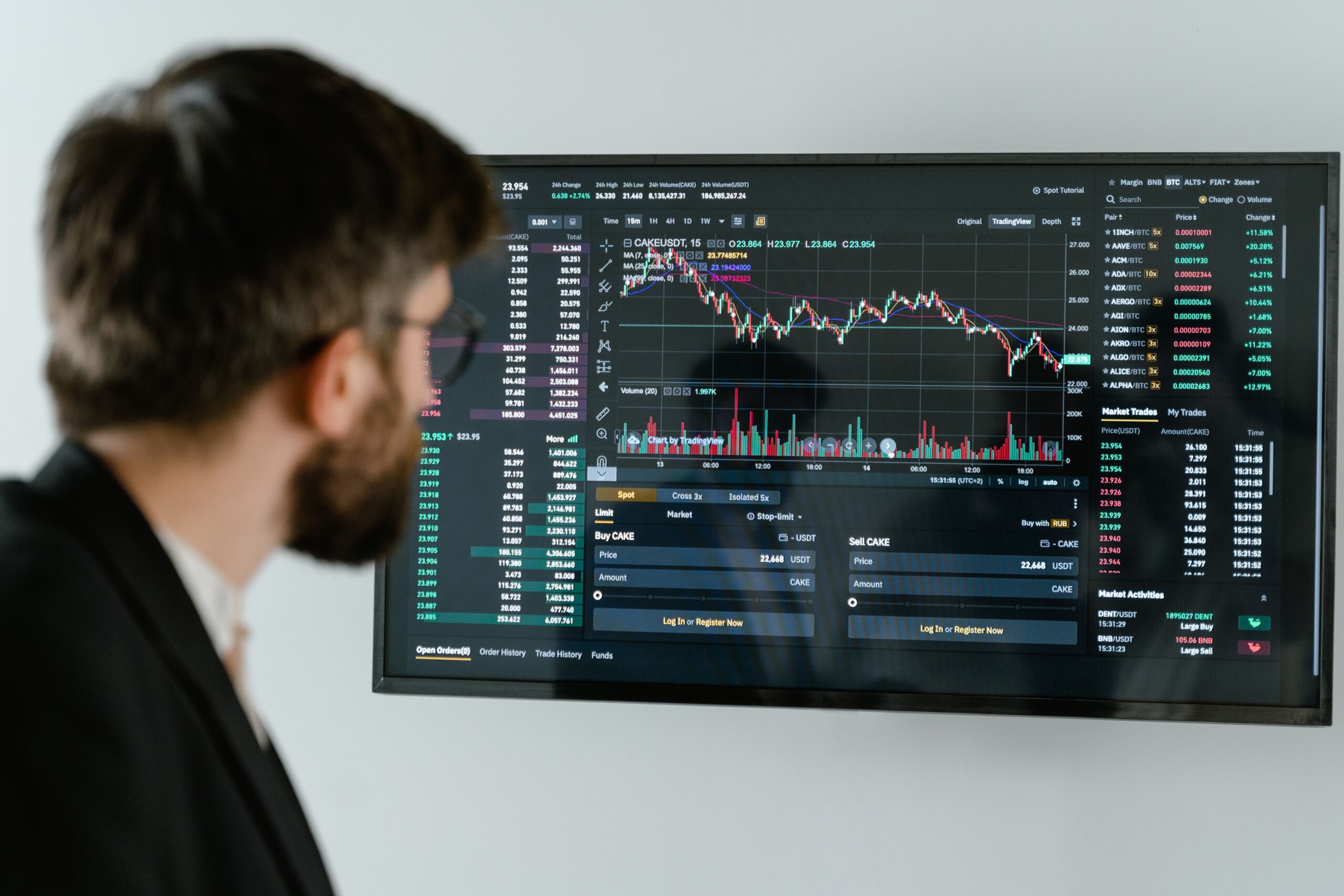
The best trading technology platforms in 2026 help traders analyze markets, manage risk, automate strategies, and make informed decisions. However, not every platform offers the same features or pricing. Some focus on professional charting, while others specialize in automated execution, portfolio analytics, or advanced market research.
Choosing the right solution can improve your workflow and help you control trading expenses. It can also prevent you from paying for tools you rarely use. Therefore, comparing trading technology platforms by features, costs, security, and overall value is essential for beginners and experienced traders alike.
This guide explains the main platform types, professional trading tools, pricing considerations, and benefits to evaluate in 2026. It also shows how to choose software that matches your trading strategy, experience, and budget.
What Are Trading Technology Platforms?
Trading technology platforms are software applications that help users research financial markets, monitor securities, place orders, and evaluate trading performance. Depending on the provider, a platform may support stocks, exchange-traded funds (ETFs), options, futures, forex, or other financial instruments.
Some platforms connect directly to brokerage accounts. Others provide research, charting, backtesting, and analytical tools that work alongside a broker. Professional solutions may also offer application programming interfaces (APIs), algorithmic execution, customizable dashboards, and real-time market data.
The right choice depends on your goals. For example, a long-term investor may prioritize portfolio reporting. An active trader may need fast order entry, technical indicators, and reliable market data. Meanwhile, an algorithmic trader may require strategy testing and automation features.
Best Trading Technology Platforms to Compare in 2026
There is no single platform that suits every trader. The following established providers represent different approaches to trading technology. Compare their current plans, supported markets, and eligibility requirements before opening an account or purchasing a subscription.
1. TradingView: Best for Charting and Market Analysis
TradingView is a popular choice for traders who want interactive charts, technical indicators, customizable watchlists, and market-screening tools. Its interface supports multiple assets and makes it easier to compare price movements across different time frames.
Users can create alerts and develop custom indicators using Pine Script. Depending on the broker and market, TradingView also supports trading integrations. However, available execution features vary by region and connected provider.
Cost considerations: TradingView offers free and paid subscription options. Paid tiers generally provide additional chart layouts, indicators, alerts, and other capabilities. Check the official pricing page for current plan limits.
Best for: Technical traders, chart-focused investors, and users who want flexible market analysis.
Explore TradingView plans and pricing.
2. MetaTrader 5: Best for Automated Trading
MetaTrader 5 (MT5) provides charting, technical indicators, market analysis, and automated trading capabilities. It is widely used by forex and CFD traders, although supported instruments depend on the connected broker.
Its MQL5 programming environment allows users to develop expert advisors, custom indicators, and trading scripts. Traders can also test strategies against historical data before considering live execution.
However, automated strategies require careful testing. Historical results do not guarantee future performance. Execution quality, spreads, slippage, and broker conditions can also affect results.
Cost considerations: The software is generally available without a separate end-user license fee. However, brokers may charge spreads, commissions, financing costs, or other fees.
Best for: Forex traders, strategy developers, and users interested in automated trading.
3. Interactive Brokers Trader Workstation: Best for Multi-Asset Trading
Interactive Brokers Trader Workstation (TWS) is designed for active traders and investors who need advanced order management, market research, portfolio monitoring, and access to multiple financial markets.
Depending on account eligibility and market access, users can trade instruments such as stocks, options, futures, bonds, and currencies. Advanced order types and risk analysis tools can help experienced traders manage complex positions.
Nevertheless, the interface may feel complicated to beginners. Some market data subscriptions and other services can also add to the overall cost.
Cost considerations: Review the broker’s commission schedule, exchange fees, market data charges, and any applicable financing costs. The total expense depends on the products traded and account configuration.
Best for: Experienced traders, multi-asset investors, and users who need sophisticated order controls.
4. thinkorswim: Best for Advanced Research and Options Analysis
thinkorswim, offered by Charles Schwab, provides advanced charting, technical studies, options analysis, and paper trading capabilities. Its research environment can help users examine potential trades and practice strategies without immediately risking real money.
Options traders may find its analytical tools useful for evaluating potential outcomes under different market conditions. However, options strategies can involve substantial losses, especially when leverage or complex positions are involved.
Cost considerations: Platform access and trading costs depend on account eligibility, product type, and Schwab’s current fee schedule. Exchange and regulatory charges may apply to certain transactions.
Best for: Eligible US-based traders seeking advanced charting, options tools, and simulated trading.
5. QuantConnect: Best for Algorithmic Strategy Development
QuantConnect is a cloud-based research and algorithmic trading platform. It supports quantitative strategy development, historical backtesting, and systematic analysis across supported asset classes and data sources.
Developers can use programming tools to test trading hypotheses and examine how strategies might have performed historically. This approach is useful for traders who want a repeatable research process rather than relying entirely on manual decisions.
However, backtests can be misleading when they omit realistic transaction costs, slippage, liquidity constraints, or survivorship bias. A strong historical result should therefore be treated as a starting point, not proof of future profitability.
Cost considerations: Available features and charges depend on the subscription, computing resources, data requirements, and execution setup. Review the current plan details before committing to a paid service.
Best for: Quantitative researchers, developers, and systematic traders.
Trading Platform Comparison: Features, Costs, and Benefits
The following table provides a practical starting point for comparing these professional trading technology platforms.
| Platform | Main Strength | Cost Structure | Ideal User |
|---|---|---|---|
| TradingView | Charts and alerts | Free and paid plans | Technical traders |
| MetaTrader 5 | Automated trading | Generally free software; broker fees may apply | Forex and CFD traders |
| Interactive Brokers TWS | Multi-asset execution | Trading fees and optional service costs | Active and experienced traders |
| thinkorswim | Research and options analysis | Account and transaction-dependent costs | Eligible US traders |
| QuantConnect | Algorithmic research | Plan, data, and computing-dependent costs | Quantitative traders |
These platforms are not direct substitutes in every situation. For example, a charting subscription does not necessarily provide brokerage execution. Similarly, free software may still require paid data or trading services.
How Much Do Professional Trading Platforms Cost in 2026?
The cost of trading software depends on the platform’s capabilities and your trading activity. A basic charting tool may be sufficient for occasional research. Professional workflows, on the other hand, may require premium analytics, multiple market data feeds, and specialized execution tools.
Subscription and Licensing Fees
Many platforms offer free versions with limited features. Paid subscriptions may unlock more charts, alerts, historical data, technical indicators, or advanced analysis. Before upgrading, identify the specific feature that justifies the expense.
Market Data and Exchange Fees
Real-time market data may require an additional subscription. Fees can vary according to the exchange, instrument, and user classification. Check whether your chosen plan includes the data you need or charges for it separately.
Brokerage Commissions and Trading Costs
Trading technology does not eliminate transaction costs. Depending on the broker and instrument, expenses may include commissions, bid-ask spreads, financing charges, exchange fees, and currency conversion costs. Frequent trading can make these expenses especially important.
Automation and Infrastructure Costs
Algorithmic trading may require paid computing resources, data storage, API access, or cloud hosting. These costs can increase as a strategy becomes more complex. Include maintenance and testing expenses when estimating the total budget.
Key Benefits of Professional Trading Technology
Improved Market Analysis
Professional tools combine charts, indicators, news, and portfolio information in one workspace. This can help traders evaluate opportunities more consistently and reduce the time spent switching between applications.
Faster and More Consistent Workflows
Watchlists, alerts, saved layouts, and predefined orders can simplify repetitive tasks. Automation may also reduce manual errors. However, incorrect settings or technical failures can create new risks, so monitoring remains important.
Better Risk Management
Portfolio analytics, exposure reports, and order controls can help users understand their positions. Some platforms also support stop orders and simulated trading. These features can support risk management, although stop orders do not guarantee a particular execution price.
Strategy Testing and Performance Measurement
Backtesting and trade journals help users review decisions and identify weaknesses. Traders can compare strategies, measure drawdowns, and evaluate whether their assumptions remain reasonable. Results should account for transaction costs and realistic execution conditions.
How to Choose the Best Trading Technology Platform
Choosing the best trading technology platform in 2026 starts with your objectives. Use the following steps to narrow your options.
- Define your trading style. Decide whether you focus on long-term investing, day trading, options, forex, or algorithmic strategies.
- Check supported markets. Confirm that the platform supports your instruments, country, broker, and account type.
- Compare total costs. Include subscriptions, market data, commissions, spreads, and optional services.
- Evaluate essential features. Prioritize reliable charts, suitable order types, risk controls, and useful research tools.
- Test the interface. Use a free trial, demo account, or paper trading environment when available.
- Review security and reliability. Check authentication options, account protections, service history, and backup procedures.
- Verify regulatory details. Confirm the broker’s regulatory status and understand the protections available in your jurisdiction.
A platform should fit your existing process rather than encourage unnecessary trading. More indicators and advanced features do not automatically produce better results.
Trading Technology and Online Income: What to Know
Trading platforms are sometimes promoted alongside discussions of passive income and online business opportunities. However, trading is not a guaranteed source of income. Markets can be volatile, and losses may exceed expectations, particularly when leverage is involved.
Other online business models have different economics. For example, affiliate marketing generates revenue through qualifying referrals, while a dropshipping business sells products fulfilled by suppliers. Understanding affiliate vs dropshipping can help entrepreneurs compare business models without confusing them with financial-market trading.
These activities have different startup costs, risks, and time requirements. Anyone exploring an online business should evaluate each model separately and avoid assuming that trading software will create reliable passive earnings.
Common Mistakes to Avoid When Buying Trading Software
One common mistake is selecting a platform solely because it advertises advanced artificial intelligence or automated profits. No software can guarantee market success. Evaluate documented capabilities and test strategies carefully instead.
Another mistake is ignoring hidden expenses. A low subscription price may not include premium market data, exchange charges, or required integrations. Calculate the full monthly and annual cost before upgrading.
Finally, avoid relying on unverified performance claims. Backtested returns may not reflect live trading conditions. Check the methodology, account for slippage, and consider the possibility of significant losses before risking capital.
Frequently Asked Questions
What is the best trading technology platform in 2026?
The best option depends on your needs. TradingView is suitable for charting, MetaTrader 5 supports automated strategies, Interactive Brokers TWS offers multi-asset trading tools, thinkorswim provides advanced analysis for eligible users, and QuantConnect supports algorithmic research.
Are free trading platforms good enough?
Yes, free platforms can be sufficient for learning, basic charting, and some trading activities. However, advanced data, additional alerts, automation, or specialized research may require paid services.
Can trading software guarantee profits?
No. Software can support analysis, execution, and risk management, but it cannot eliminate market risk. Past performance does not guarantee future results.
Is automated trading suitable for beginners?
Beginners can learn about automation through simulations and small, carefully controlled tests. However, they should understand the strategy, its risks, and the possibility of technical failures before using real money.
Final Verdict: Which Trading Technology Platform Offers the Best Value?
The best trading technology platforms in 2026 combine useful features, dependable execution, transparent costs, and appropriate security. TradingView is worth considering for charting, MetaTrader 5 for automated strategies, Interactive Brokers TWS for multi-asset trading, thinkorswim for advanced research, and QuantConnect for quantitative development.
Before making a decision, compare the features you will actually use and calculate the complete cost of ownership. Test the platform where possible, review its limitations, and establish clear risk controls. The goal is not to buy the most expensive software. Instead, choose technology that supports a disciplined, informed, and sustainable trading process.
Disclaimer: This article is for educational and informational purposes only. It is not financial, investment, or trading advice. Platform availability, features, and fees may change. Verify current details directly with each provider before making a decision.