
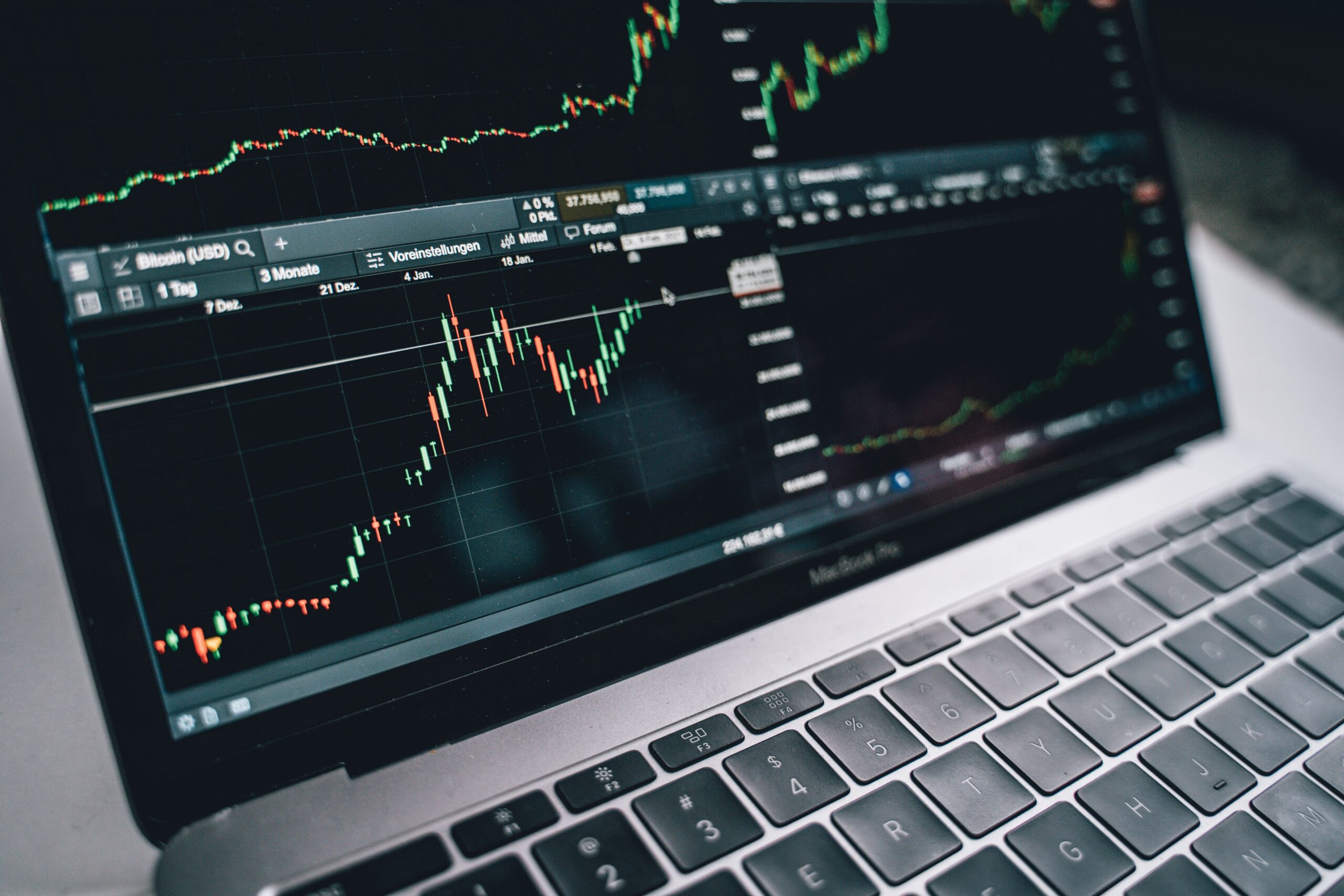
Choosing the best trading software in 2026 can help traders analyze markets, manage risk, and execute orders more efficiently. However, not every platform offers the same tools, pricing, or trading experience. Some focus on advanced charting, while others specialize in automated strategies, global market access, or portfolio management.
The right software depends on your trading style, experience, budget, and preferred financial markets. For example, beginners may need simple charts and educational resources. Active traders may prioritize order execution and real-time data. Meanwhile, algorithmic traders often need backtesting tools and automation features.
This guide compares popular trading platforms, including TradingView, MetaTrader 5, and Interactive Brokers Trader Workstation. You will learn about their features, potential costs, advantages, and limitations. Use these comparisons to identify a platform that fits your needs without paying for unnecessary features.
What Is Trading Software?
Trading software is an application that helps users research financial markets, analyze price movements, monitor positions, and place trades through a supported broker. Depending on the platform, it may also provide technical indicators, economic calendars, automated trading, and portfolio risk analysis.
Some applications connect directly to brokerage accounts. Others concentrate on market research and charting, with trading available through supported broker integrations. Therefore, you should understand whether a platform is a complete trading solution or primarily an analytical tool.
Trading software is commonly used for stocks, forex, options, futures, exchange-traded funds (ETFs), and cryptocurrencies. Availability depends on the broker, jurisdiction, and specific product.
Best Trading Software in 2026: Quick Comparison
| Platform | Best For | Pricing Model | Key Strength |
|---|---|---|---|
| TradingView | Charting and market analysis | Free tier and paid subscriptions | Flexible charts and alerts |
| MetaTrader 5 | Forex and automated trading | Platform available free; broker and add-on costs may apply | Expert Advisors and backtesting |
| Interactive Brokers TWS | Active and multi-asset traders | Generally no separate platform fee; trading and data charges may apply | Global markets and advanced orders |
These platforms serve different purposes, so there is no universal winner. Compare the features you will actually use, then confirm current pricing and availability in your country.
1. TradingView: Best Trading Software for Charting and Technical Analysis
TradingView is a popular choice for traders who want flexible charts, technical indicators, watchlists, and customizable alerts. Its browser-based interface makes it convenient to research markets without installing a complex desktop application.
Key Features
- Interactive charts with customizable layouts.
- Technical indicators and drawing tools.
- Watchlists for tracking financial instruments.
- Price alerts and technical-condition notifications.
- Community-published indicators and trading ideas.
- Web, desktop, and mobile access.
- Broker integrations for supported trading accounts.
These tools make TradingView useful for comparing price trends and building repeatable analysis routines. Traders can also save chart layouts and create alerts around important price levels.
Pricing and Performance
TradingView offers a free option and several paid subscription tiers. Its official pricing page has listed the Essential plan at $12.95 per month when billed annually at the displayed promotional rate. Prices, promotions, and plan limits can change, so check the current offer before subscribing.
Additional exchange data may require separate subscriptions. Your broker may also charge commissions, spreads, or other transaction costs.
TradingView is particularly useful for chart-focused traders. However, some advanced features require a paid plan, and the platform’s execution capabilities depend on supported broker integrations.
Official website: TradingView pricing and plans.
2. MetaTrader 5: Best Trading Software for Forex and Automation
MetaTrader 5 (MT5) is a multi-asset trading platform widely used for forex and other supported financial instruments. It combines charting, order management, technical analysis, and automated trading tools in one application.
Key Features
- Technical indicators and customizable charts.
- Multiple order types and execution modes.
- Expert Advisors for automated trading strategies.
- Strategy testing and historical performance analysis.
- Economic calendar and market news features.
- Market Depth and position-management tools.
- Desktop, web, and mobile access options.
One of MT5’s main advantages is its built-in development environment. Users with programming knowledge can create custom indicators and automated strategies using MQL5. Traders can also explore third-party applications and trading robots.
Pricing and Performance
The MT5 application is available free of charge from its official provider. However, actual trading costs depend on the broker you connect to. These may include spreads, commissions, overnight financing, currency-conversion fees, and withdrawal charges.
Automated trading can reduce repetitive manual tasks, but it does not eliminate market risk. A poorly designed robot may execute losing trades rapidly. Historical backtests can also look stronger than real-world results because of slippage, changing market conditions, or overfitting.
MT5 is a strong choice for forex traders and people who want to develop systematic strategies. Beginners should start with a demo account and understand how order execution works before using real funds.
Official website: Explore MetaTrader 5 features.
3. Interactive Brokers Trader Workstation: Best for Advanced Trading
Interactive Brokers Trader Workstation (TWS) is designed for active traders and investors who need advanced order management, research, and access to multiple financial markets. Its tools support a wide range of trading strategies and portfolio workflows.
Key Features
- Access to numerous international markets through eligible accounts.
- Trading in stocks, options, futures, forex, bonds, and funds, subject to availability.
- Advanced order types and algorithmic execution tools.
- Customizable charts, scanners, and watchlists.
- Portfolio monitoring and risk-analysis features.
- Market news and financial research integrations.
- Paper trading for practicing strategies.
TWS is especially useful when a trader needs to manage several asset classes or work with complex orders. Its portfolio tools can also help users monitor exposure, profit and loss, and potential risks.
Pricing and Performance
Interactive Brokers generally offers its trading platforms without a separate platform subscription fee. Nevertheless, commissions, exchange fees, market-data subscriptions, margin interest, and other charges may apply depending on the account and market.
The main limitation is complexity. New users may need time to learn the interface and configure the workspace. Traders should also compare the brokerage’s available account types, supported products, and local regulatory arrangements.
TWS is a strong candidate for experienced traders who prioritize market access and order controls. Its advanced features may be unnecessary for someone who only needs basic charts and occasional trades.
Official website: Explore Interactive Brokers Trader Workstation.
How to Compare Trading Software Pricing in 2026
The subscription price is only one part of the cost. To estimate your total expenses, consider both software fees and the costs associated with executing trades.
1. Subscription Fees
Some platforms offer free basic access, while others charge monthly or annual subscription fees. Premium plans may provide more indicators, additional charts, advanced alerts, or extra analytical features.
Choose a paid plan only when its features solve a real problem. For example, frequent traders may benefit from more alerts, while occasional investors may find a free plan sufficient.
2. Broker Commissions and Spreads
Brokerage fees can significantly affect performance, especially for frequent traders. Some brokers advertise commission-free trading but still earn revenue through spreads or other services. Compare the complete fee schedule rather than relying on a headline price.
3. Market Data Charges
Real-time quotes for certain exchanges may require an additional subscription. Delayed data may be sufficient for some research activities, but active intraday traders may need faster updates. Check the data package required for your particular market.
4. Automation and Add-On Costs
Trading robots, premium indicators, third-party signals, and virtual private servers can increase your monthly expenses. Before purchasing an add-on, review its pricing, refund terms, security, and performance evidence.
5. Total Cost of Ownership
Calculate your expected monthly software fees, market-data costs, broker commissions, spreads, and any necessary add-ons. Then compare the total with your trading budget. This approach helps you avoid paying for an expensive setup that does not improve your process.
Essential Features to Look for in the Best Trading Software
Charting and Technical Indicators
Quality charts make it easier to study price trends and compare timeframes. Look for indicators, drawing tools, volume analysis, and layouts that match your strategy. More indicators do not automatically produce better decisions.
Risk Management Tools
Risk controls are essential for protecting trading capital. Useful features include stop orders, position sizing, margin monitoring, exposure summaries, and alerts. Remember that stop orders do not guarantee execution at the requested price during fast or illiquid markets.
Backtesting and Paper Trading
Backtesting helps traders evaluate a strategy against historical data. Paper trading allows them to practice without risking real money. However, neither method guarantees future profitability. Include realistic assumptions for fees, slippage, and execution delays.
Execution Quality and Reliability
Software performance includes stability, order handling, and the speed at which data updates. The actual result also depends on your internet connection, broker infrastructure, liquidity, and order type. Test the platform during your usual trading hours before committing significant funds.
Security and Customer Support
Choose reputable providers and regulated brokers where applicable. Review account security, two-factor authentication, privacy policies, recovery procedures, and support availability. Never share your password or API keys with an unverified signal provider or software vendor.
Which Trading Software Is Best for Your Trading Style?
| Trading Style | Platform to Consider | Why |
|---|---|---|
| Beginner market research | TradingView | Accessible charts and watchlists |
| Forex trading | MetaTrader 5 | Forex tools and broker connectivity |
| Automated strategies | MetaTrader 5 | Expert Advisors and backtesting |
| Advanced multi-asset trading | Interactive Brokers TWS | Complex orders and portfolio tools |
| Technical analysis | TradingView | Flexible charting and alerts |
These are starting points, not guarantees that one platform will outperform another. Check regional availability and broker compatibility before making your decision.
How to Choose the Right Trading Software: A Step-by-Step Plan
- Define your goals. Decide whether you trade stocks, forex, options, futures, or other assets.
- Set a realistic budget. Include subscriptions, market data, commissions, and other charges.
- Compare essential features. Prioritize the tools required for your strategy instead of buying every available feature.
- Check broker compatibility. Confirm that your preferred broker and financial instruments are supported.
- Test with a demo account. Practice order entry, chart analysis, and risk controls before trading live.
- Review performance regularly. Track your expenses, execution quality, and strategy results using consistent measurements.
This process also helps you distinguish genuine trading tools from products marketed with unrealistic claims. Avoid software providers that promise guaranteed profits or advertise unusually high returns without credible evidence.
Trading Software and Online Business Opportunities
Trading software is sometimes discussed alongside other digital income models. However, trading and running an online business involve different risks, skills, and income patterns.
For example, affiliate marketing generates revenue through qualifying referrals, while a dropshipping business sells products without keeping traditional inventory. Researching affiliate vs dropshipping may help entrepreneurs compare operating costs and business models. Likewise, passive income strategies usually require initial work, capital, or ongoing maintenance.
Trading should not be treated as guaranteed passive income. Financial markets can produce losses, and automation does not remove that uncertainty. Keep trading capital separate from essential living expenses and avoid borrowing money to fund speculative strategies.
Common Trading Software Mistakes to Avoid
- Choosing a platform based only on advertising or influencer recommendations.
- Ignoring broker commissions and real-time data fees.
- Using automated systems without testing them.
- Relying on unverified performance claims or signals.
- Installing untrusted indicators, scripts, or trading robots.
- Overloading charts with indicators that provide conflicting signals.
- Trading live before learning order types and account controls.
A disciplined process is more important than owning the most expensive software. Start with essential tools, document your decisions, and upgrade only when you can identify a clear benefit.
Final Verdict: What Is the Best Trading Software in 2026?
The best trading software in 2026 depends on your goals and preferred markets. TradingView is a compelling option for charting and technical analysis. MetaTrader 5 is well suited to forex trading and algorithmic strategies. Interactive Brokers TWS is worth considering for active traders who need advanced order management and broad market access.
Before subscribing or opening a live trading account, compare current prices, market-data requirements, broker charges, and regional availability. Use demo tools to evaluate usability and test your workflow. Most importantly, establish clear risk limits and avoid treating past performance as a promise of future returns.
Disclaimer: This article is for educational and informational purposes only. It is not financial, investment, or trading advice. Trading involves risk, including the possible loss of your entire investment. Research providers independently and consider consulting a qualified financial professional before making investment decisions.